Social media
You're posting consistently and still have no idea what's working.
Plan the month in the content calendar, log what you posted, and the tracker works out every rate for you. No spreadsheet skills, nothing to connect.
pay once, yours forever
Try the full product free before you buy. If it’s not right for you, you’ll know in two minutes and it cost you nothing.
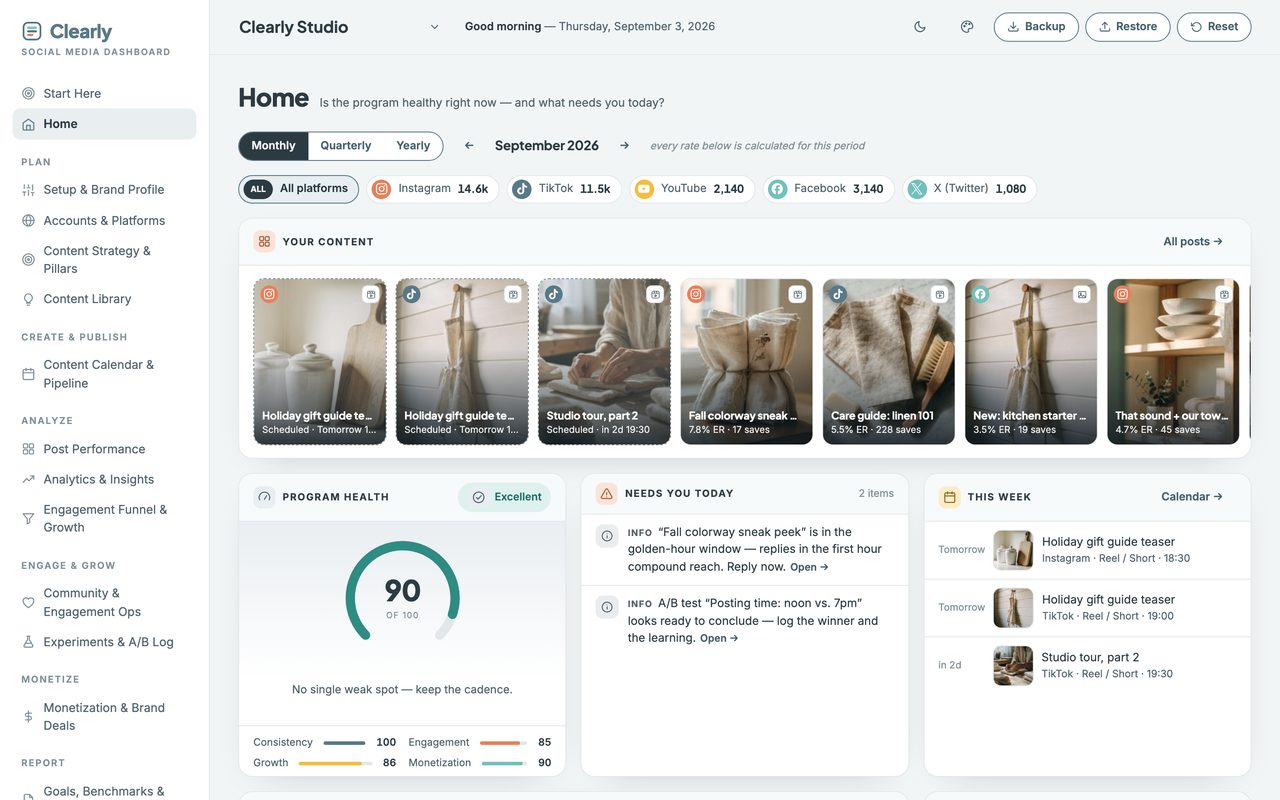
What it does
Four things it works out for you.
See what actually works
Every post tagged by hook, format and pillar — so wins repeat on purpose, not by luck.
Know what to charge
An auto rate card built from your own numbers, not a screenshot of someone else’s.
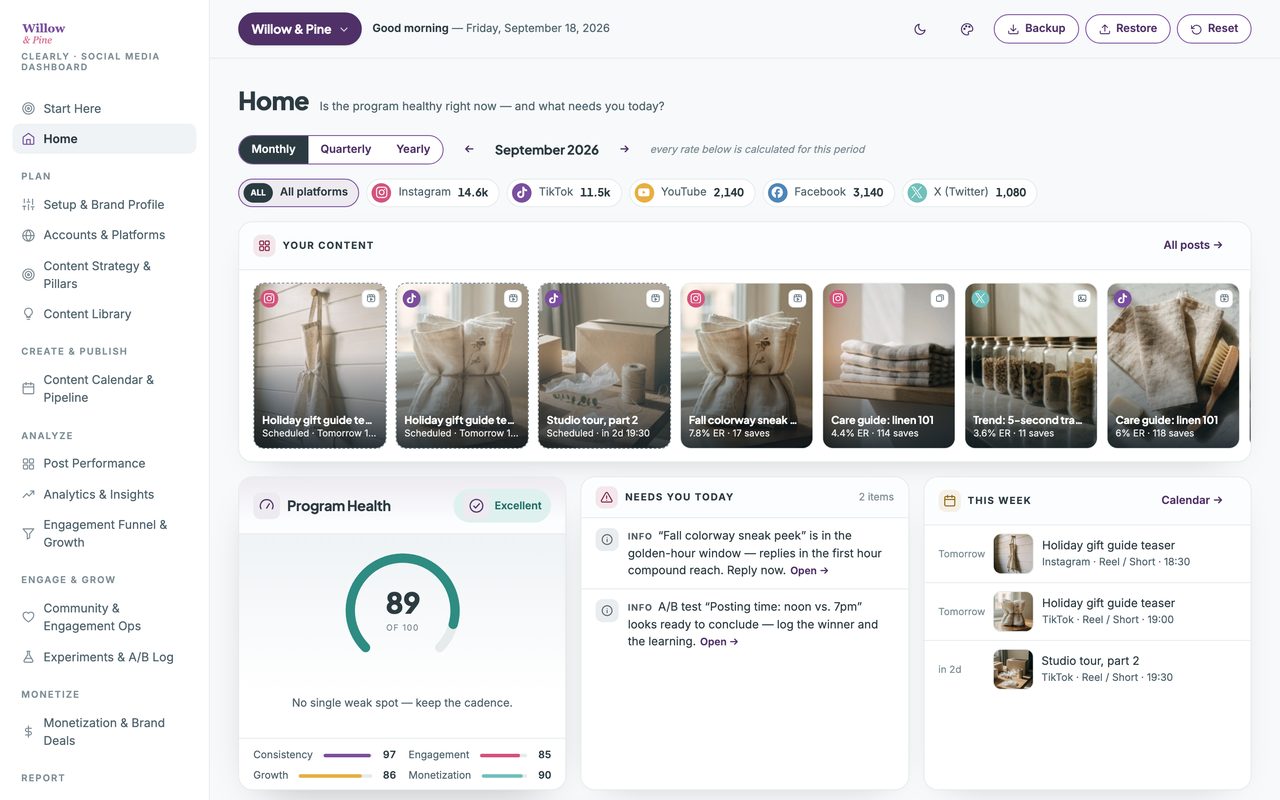
One health score
Open it and know in five seconds whether the program needs you today.
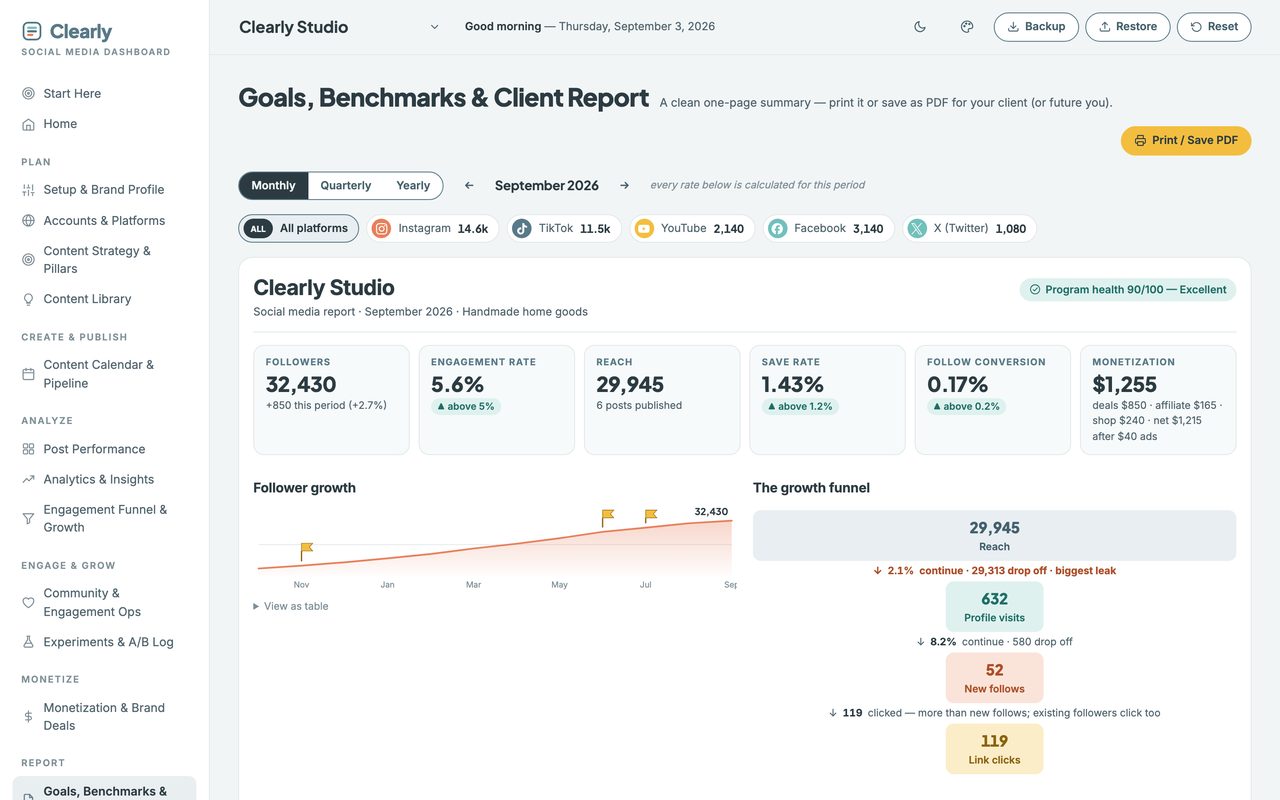
Look agency-grade
A client-ready report built in — without hiring the agency.
Why your rates need context
A 4% engagement rate is strong on one platform and ordinary on another.
Most trackers give you one average to measure everything against, which quietly tells you your TikTok is failing and your LinkedIn is thriving when the opposite is true. This one carries a separate benchmark for each of the eight platforms it tracks, so a number is graded against the place it came from.
Log one paid deal and it reads back what you actually earned per thousand followers — then warns you when your next quote comes in under it.
That is the rate card. It does not look up an industry average; it prices your next deal against the ones you have already been paid for. Most people quoting brand work are guessing, and most of them guess low.
Watch the walkthrough
Two minutes, start to finish.
The real planner, recorded start to finish — opening the file, setting it up, a month of posts logged and every rate worked out. No edit, no voiceover, nothing sped up.
2 minutes · no sound, so nothing to turn up · captions are on the screen
A look inside
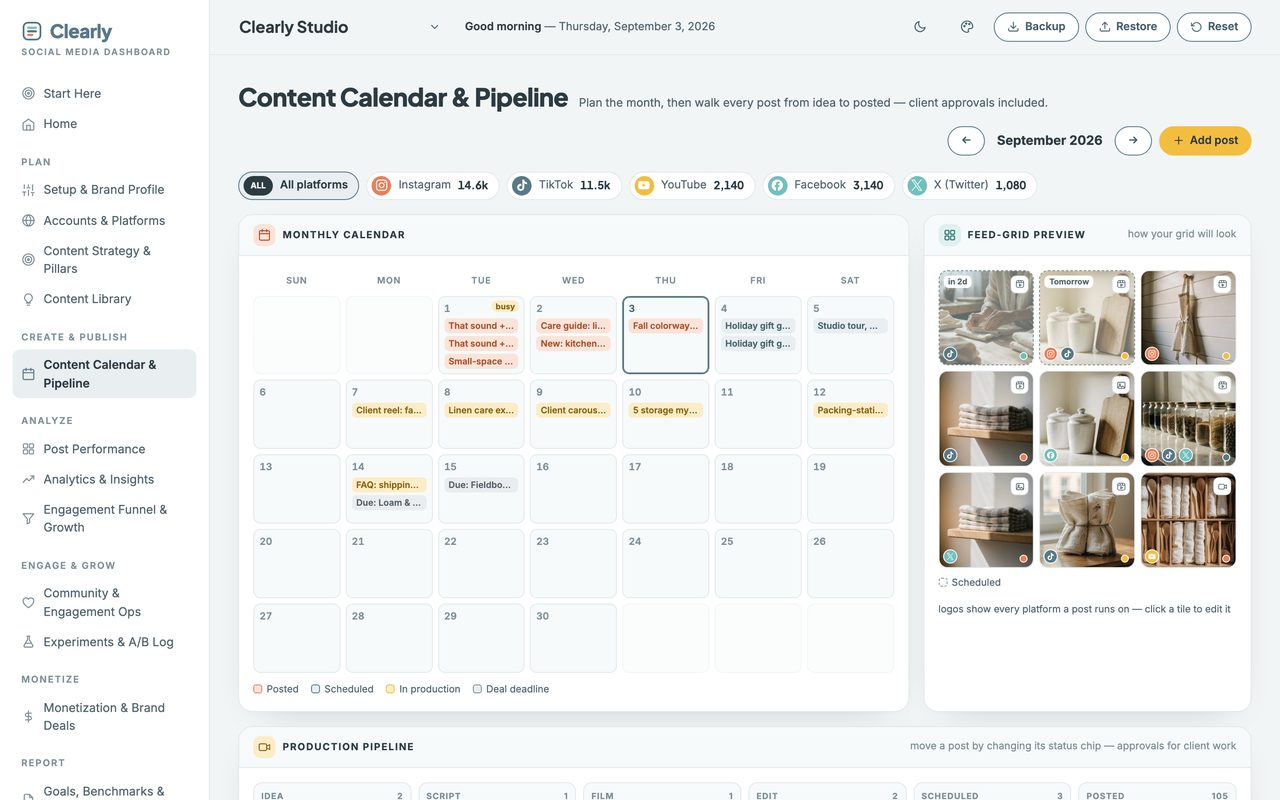
Two more of the screens you'll use.
Client work
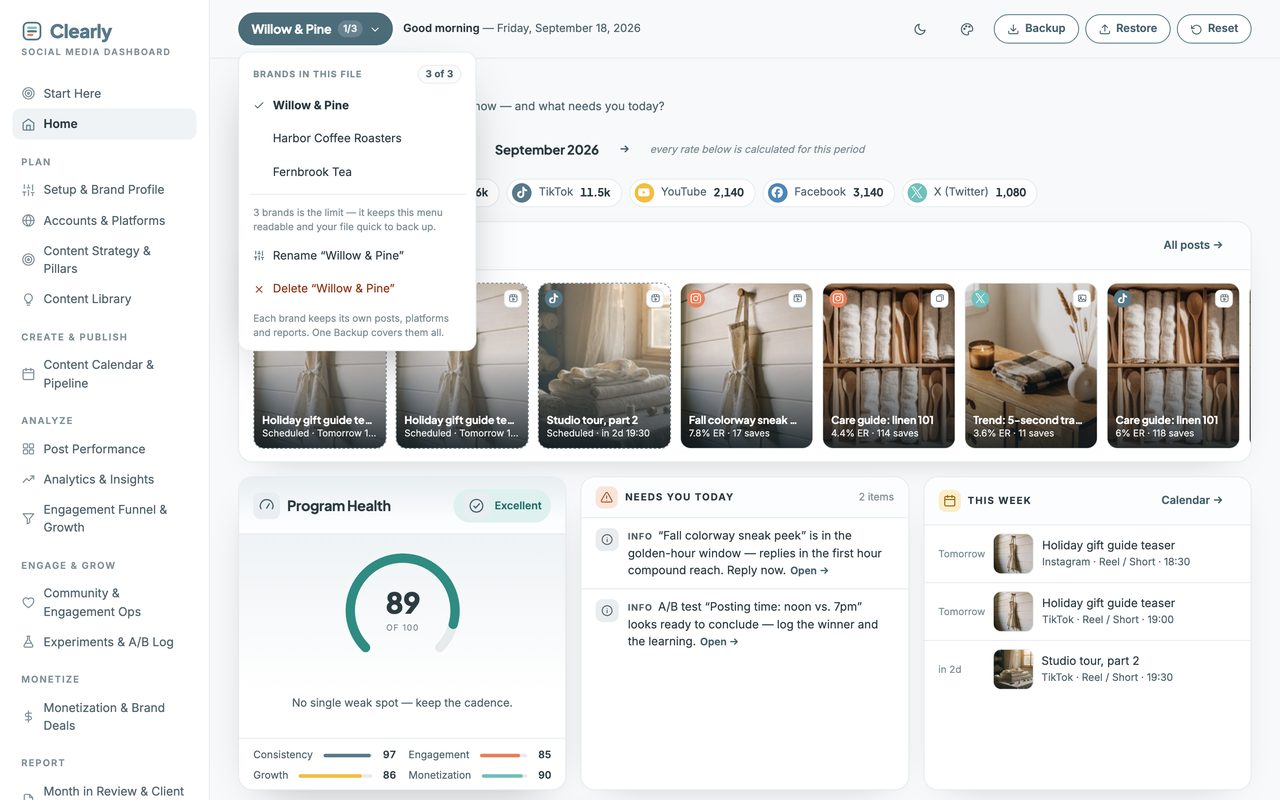
Three brands in one file, wearing your colors.
Up to three completely separate planners live in the one file — your own brands or your clients’. Nothing is shared between them, and a single Backup covers all three.
How it works
Three steps, then it runs itself.
It arrives with a full sample account already in it, so you can click through every view before you type anything. One button clears it.
-
1. Download and double-click.
It opens in your browser like a web page.
-
2. Add your brand name and pick your content pillars.
A few minutes.
-
3. Log two or three recent posts.
Everything else fills itself in.
Before you buy
Three things it won't do.
Each of these is a choice, and each one is why there's no subscription.
It doesn’t post or schedule
No publishing, no queue, no connected accounts. You keep whatever you already use for that — this is the layer those tools don’t have.
It doesn’t pull your numbers
You type them in, a couple of minutes per post. Nothing to connect means no permissions to grant, nothing to break when a platform changes its API, and no monthly fee.
It’s built for a laptop
It opens on a phone and there’s a private web-app link in your guide for exactly that — but tagging a month of posts is much easier on a bigger screen, and I’d rather say so.
Straight answers
The questions people actually ask.
- Can I see it before I buy?
- Yes — the live demo is the whole planner with sample data inside, and you can click through every view. Nothing saves, so click anything. The two-minute walkthrough on this page shows it being set up start to finish.
- Do I need to install anything?
- No. It opens in the browser you already have.
- Is this a subscription?
- No. One purchase, yours forever. No login, no account, no renewal.
- Does it post for me, or pull my analytics automatically?
- No. You type your numbers in — a couple of minutes per post. That trade is deliberate: nothing to connect means nothing to break, no permissions, and no monthly fee.
- I’m not techy at all. Will I be able to use this?
- Yes. No formulas, no setup, no tabs to wire together. There’s a Start Here page that gives you three things to do and nothing else.
- Do I have to fill in every section?
- No, and please don’t try on day one. Log two or three recent posts and the rates, the health score and the calendar start working. The rest is there when you want it.
- Where does my data live?
- On your own computer, in your own browser. Never uploaded, and I never see it.
- Does it work on my phone?
- Yes. On Mac and Windows you open the file directly. On Android, copy the file over and open it in Chrome. On iPhone and iPad, Apple won’t run local files at all, so your setup guide includes a private web-app link and access code. Either way, add it to your home screen once and it opens like an app.
What you get
Pay once. Yours forever.
single download, no subscription
Try the full product free before you buy. If it’s not right for you, you’ll know in two minutes and it cost you nothing.
First time here? Get 20% off your first purchase when you join the list.
In your download
- The planner — one self-contained file, everything inside it.
- A setup guide (PDF) — it also holds your private iPhone and iPad web-app link and access code, because Apple won’t run local files.
- Five palettes, light and dark — or set your own three colors and drop your logo in. It works out the readable version of each for you.
- Up to three brands in one file. Your own, or your clients’ — each keeps its own data and its own report.
Good to know
- Works on any browser — Chrome, Safari, Firefox, Edge.
- Not a subscription. Pay once, keep it forever.
- Your data stays on your computer, never uploaded.
- Getting started: a Start Here page and sample data are included.
- Doesn’t post or schedule. You keep the tools you use for that.
- Eight platforms, each graded against its own benchmark.
- The licence covers your own client work, not just personal use.
Before you buy
Who this is for — and who it isn't.
This is for you if
Creators, freelancers, small business owners and social media managers who post regularly and want to stop guessing. Especially if you manage content for clients.
This isn't for you if
Anyone who wants software that logs into Instagram and pulls numbers automatically, or that schedules and publishes posts. This does neither, on purpose.