SEO
You're on page two for searches you don't even know about.
Google already keeps the list: queries where you show up at position 11–20, get seen thousands of times, and get almost no clicks. This finds them and sorts them by opportunity.
pay once, yours forever
Try the full product free before you buy. If it’s not right for you, you’ll know in two minutes and it cost you nothing.
What it does
Four things it works out for you.
Page-two queries, surfaced
The posts sitting one optimization pass from page one — found in the data you already have.
A scorer, not a mystery
Per-page checks that say exactly what to fix, in plain language.
Winnable keywords
Long-tail picks scored by winnability, not vanity volume.
No agency required
It reads your own Search Console export. Nothing to connect, no one to hire.
Why this one list first
Google already knows which posts you nearly rank for.
Every site has a set of queries it shows up for on page two — seen thousands of times, clicked almost never. They are the cheapest wins you own, because the page already exists and Google already trusts it enough to show it. Nobody looks, because Search Console buries them under a thousand other rows.
On a real site's export, 207 of 1,000 queries sat one optimization pass from page one.
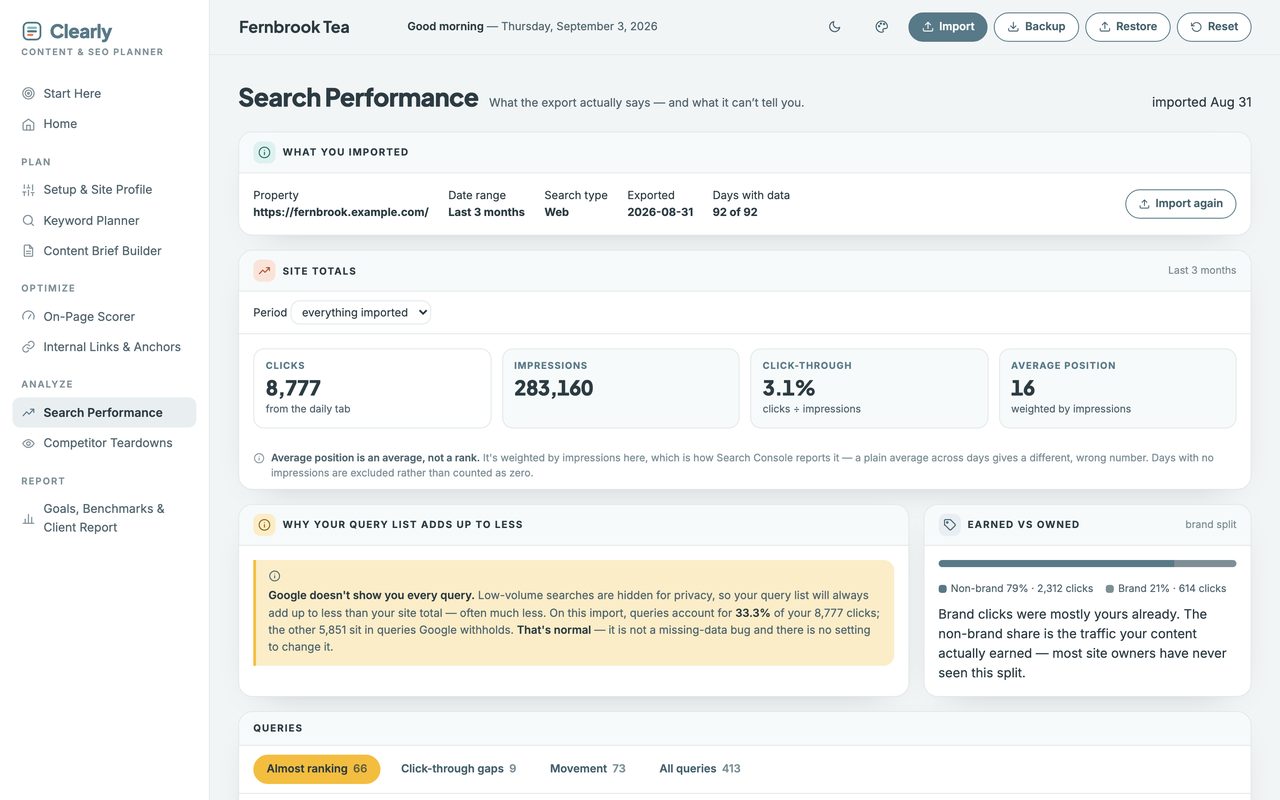
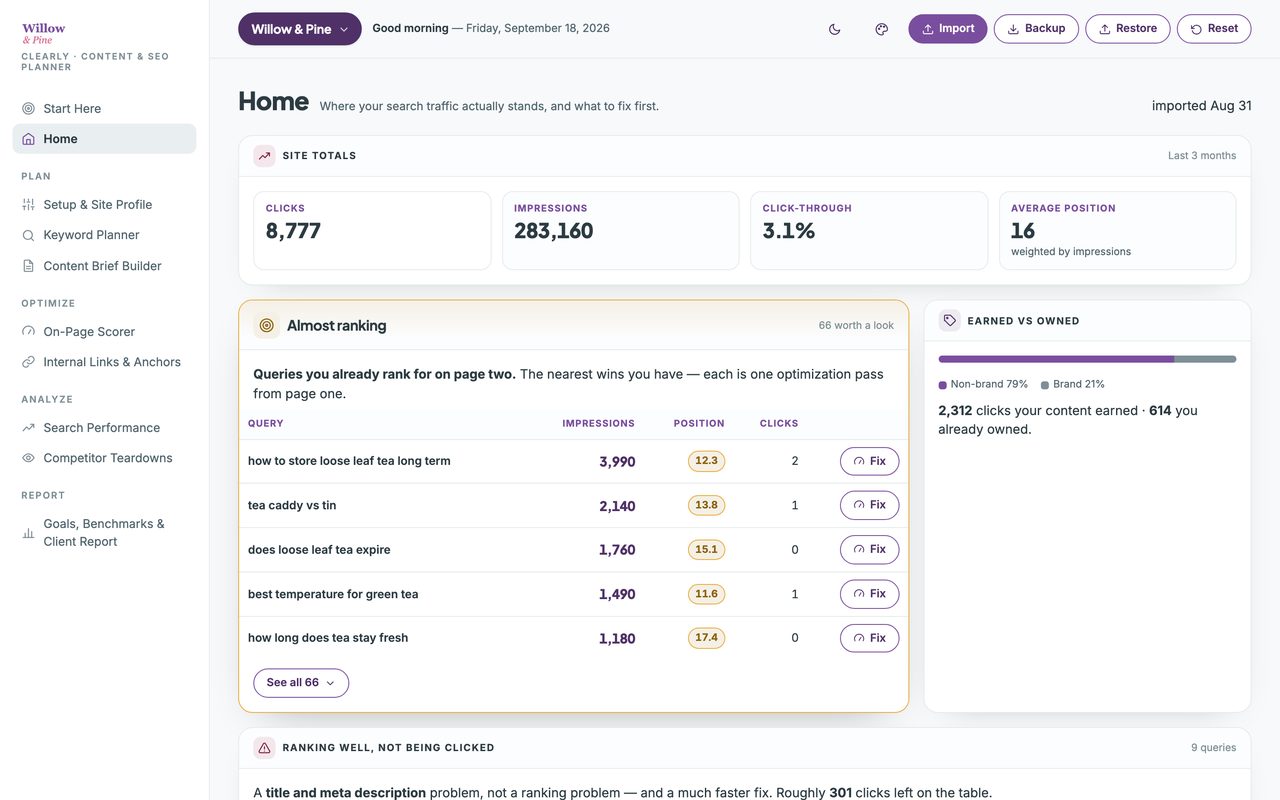
The planner defines that shortlist precisely — average position 11 to 20, at least 20 impressions, two clicks or fewer — and sorts it by the impressions you are already earning, so the top row is the page worth your afternoon. That is the screen at the top of this page.
Watch the walkthrough
Two minutes, start to finish.
The real planner, recorded start to finish — opening the file, setting it up, a Search Console export imported, and a page taken from a red 44% to a green 90% by fixing what the scorer asked for. No edit, no voiceover, nothing sped up.
2 minutes · no sound, so nothing to turn up · captions are on the screen
Everything in it
Eleven views, and nothing to wire together.
One file, opened in your browser. This is all of it — the same sidebar you'll see in the walkthrough above.
- Start Here
- What it does — and what it deliberately doesn’t.
- Home
- Where your traffic stands, and what to fix first.
Plan
- Setup & Site Profile
- Your site, author and brand terms. Set once.
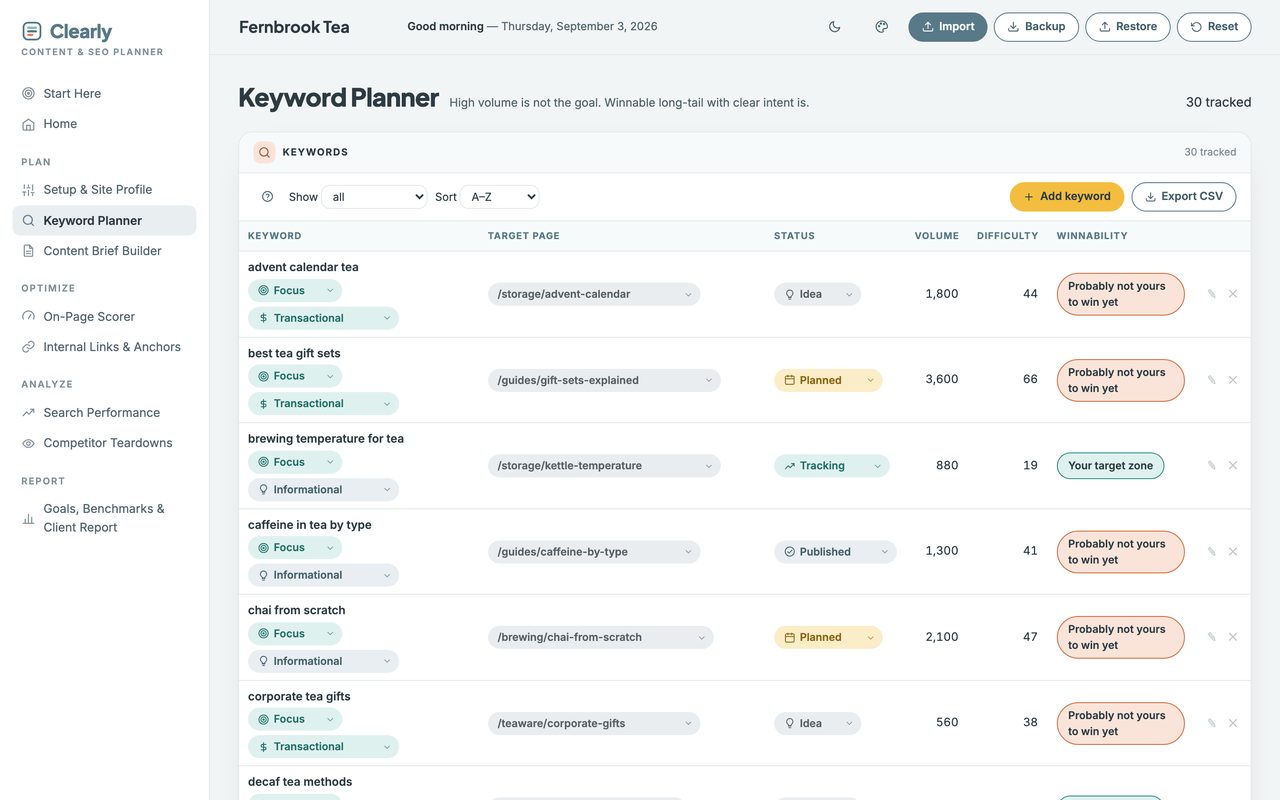
- Keyword Planner
- Keywords you can win, with intent and target.
- Content Brief Builder
- All a writer needs, on one page you can print.
Optimize
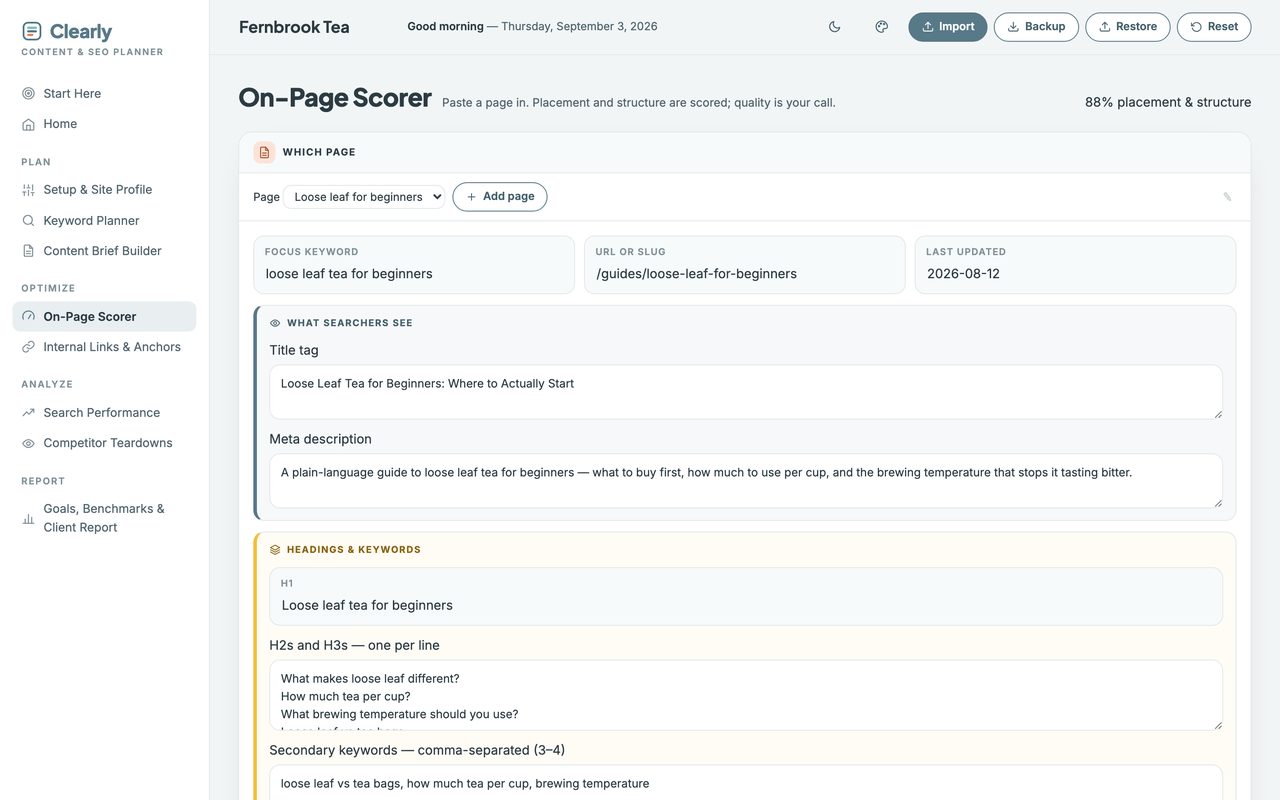
- On-Page Scorer
- Paste a page in; its keyword placement is scored.
- Internal Links & Anchors
- Which pages link where, with what anchor text.
Analyze
- Search Performance
- Almost-ranking, click gaps and rank movement.
- Competitor Teardowns
- Record what the page above you actually did.
Local
- Local & Google Business ProfileLocal mode only
- Profile completeness, review pace, and whether your name, address and phone agree everywhere.
Report
- Goals, Benchmarks & Client Report
- Targets vs actuals, and a page to send.
A look inside
Two more of the screens you'll use.
Client work
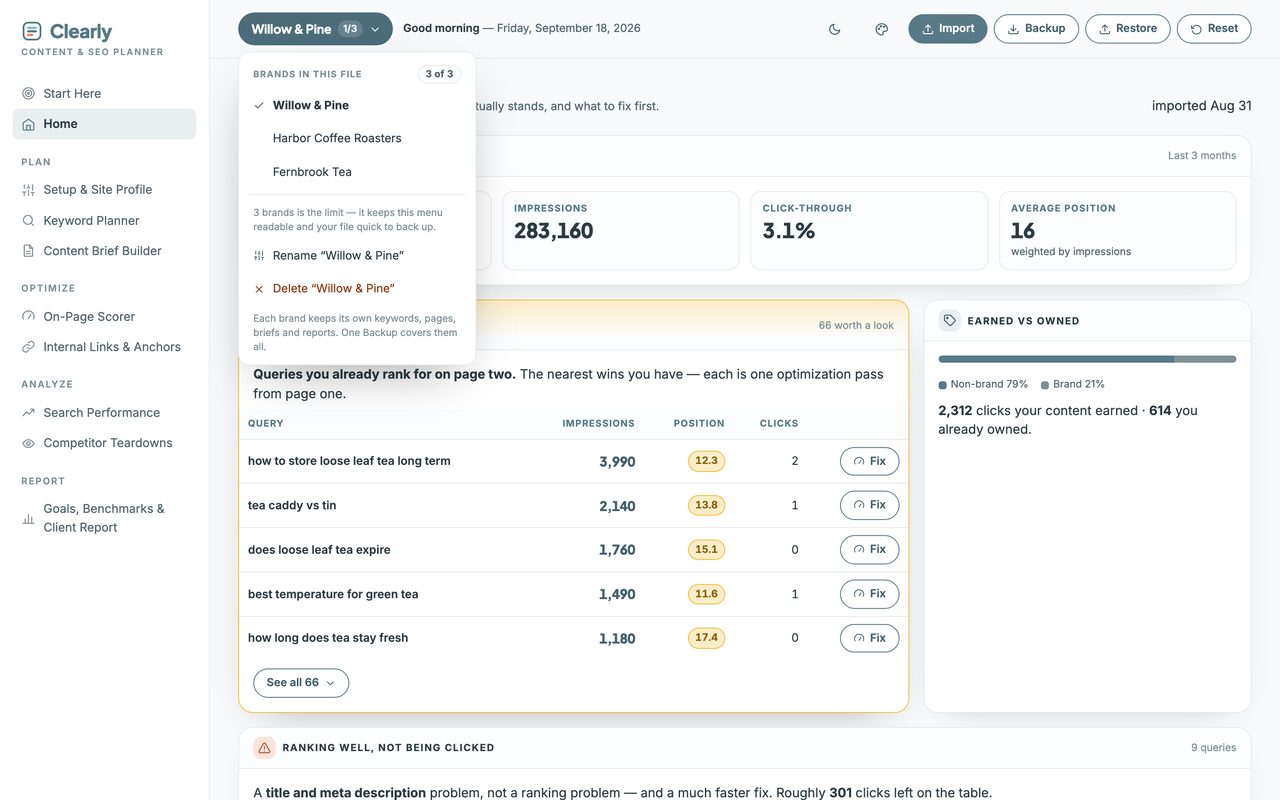
Three sites in one file, wearing your colors.
Up to three completely separate planners live in the one file — your own sites or your clients’. Nothing is shared between them, and a single Backup covers all three.
How it works
Three steps, then it runs itself.
It arrives with a full sample site already in it, so you can click through every view before you type anything. One button clears it.
-
1. Download and double-click.
It opens in your browser like a web page. Nothing to install, no account to make.
-
2. Type your site name and brand terms.
Asked once, never again. Brand terms matter because branded searches would otherwise flatter every number.
-
3. Export from Search Console and drop the file in.
You see exactly what will change before anything saves. About two clicks a month after that.
Before you buy
Three things it won't do.
Each of these is a choice, and each one is why there's no subscription.
It doesn't crawl your site
There's no server behind it, so there's nothing to connect and no permissions to grant. You paste a page in to score it, and import the export Google already gives you free to measure it.
It doesn't score your writing
Nothing can. Google says trust matters most and no software can measure it, so instead of inventing a number this asks you Google's own questions and leaves the judgement with you.
It won't set a word count
Google states plainly that it has no preferred length, and writing to a number is on its own list of warning signs. Length is tracked here as context and never scored. Anything promising a target is guessing.
Straight answers
The questions people actually ask.
- Can I see it before I buy?
- Yes — the live demo is the whole planner with sample data inside, and you can click through every view. Nothing saves, so click anything. The two-minute walkthrough on this page shows it being set up start to finish.
- Do I need to install anything?
- No. It opens in the browser you already have.
- Is this a subscription?
- No. One purchase, yours forever. No login, no account, no renewal.
- Do I have to type my stats in?
- No. Search Console exports your queries, pages and daily totals in one file. You drop it in and preview exactly what changes before anything is saved — about two clicks a month.
- I'm new to SEO. Is this too advanced?
- The opposite. Every number comes with a plain sentence about what to do with it, and the scorer teaches on-page SEO as you use it.
- Do I have to fill in every section?
- No, and please don't try on day one. Import your export, read the almost-ranking list, fix one page. The rest is there when you want it.
- Where does my data live?
- On your own computer, in your own browser. Never uploaded, and I never see it.
- Does it work on my phone?
- Yes. On Mac and Windows you open the file directly. On Android, copy the file over and open it in Chrome. On iPhone and iPad, Apple won't run local files at all, so your setup guide includes a private web-app link and access code. Either way, add it to your home screen once and it opens like an app.
What you get
Pay once. Yours forever.
single download, no subscription
Try the full product free before you buy. If it’s not right for you, you’ll know in two minutes and it cost you nothing.
First time here? Get 20% off your first purchase when you join the list.
In your download
- The planner — one self-contained file, everything inside it.
- A setup guide (PDF) — it also holds your private iPhone and iPad web-app link and access code, because Apple won't run local files.
- Five palettes, light and dark — or set your own three colors and drop your logo in. It works out the readable version of each for you.
- Up to three sites in one file. Your own, or your clients’ — each keeps its own data and its own report.
Good to know
- Works on any browser — Chrome, Safari, Firefox, Edge.
- Not a subscription. Pay once, keep it forever.
- Your data stays on your computer, never uploaded.
- Getting started: a Start Here page and sample data are included.
- Doesn’t crawl your site or connect to Google. You import your Search Console export, which is free.
- Instant download, and all sales are final on digital items — but message me if anything's wrong and I'll fix it. I answer my own messages, usually within a few hours.
- The licence covers your own client work, not just personal use.
Before you buy
Who this is for — and who it isn't.
This is for you if
Bloggers, sellers, freelancers and small business owners who write their own content and want it found — and consultants who report on the work to someone else.
This isn't for you if
Anyone who wants software that crawls their site, connects to their Google account, or promises rankings. This plans and measures; you publish on your own site.