You keep pinning, and Pinterest keeps ignoring you.
Usually it isn’t the pins — nobody ever showed you what Pinterest rewards. This checks each pin against a plain-English SEO checklist before you open Canva.
pay once, yours forever
Try the full product free before you buy. If it’s not right for you, you’ll know in two minutes and it cost you nothing.
What it does
Four things it works out for you.
Boards ranked by saves
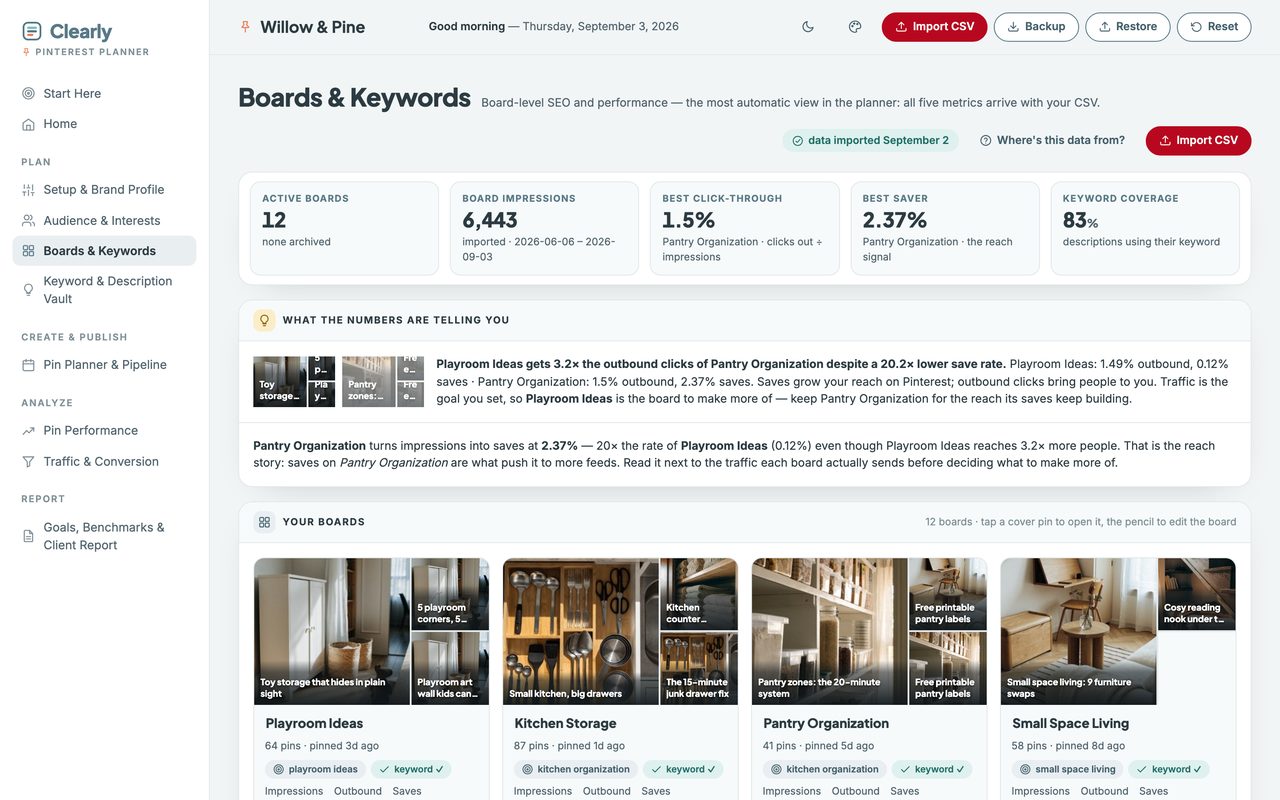
Impressions are reach. Saves are resonance. The planner reads both and says which board earns more pins.
Your audience, decoded
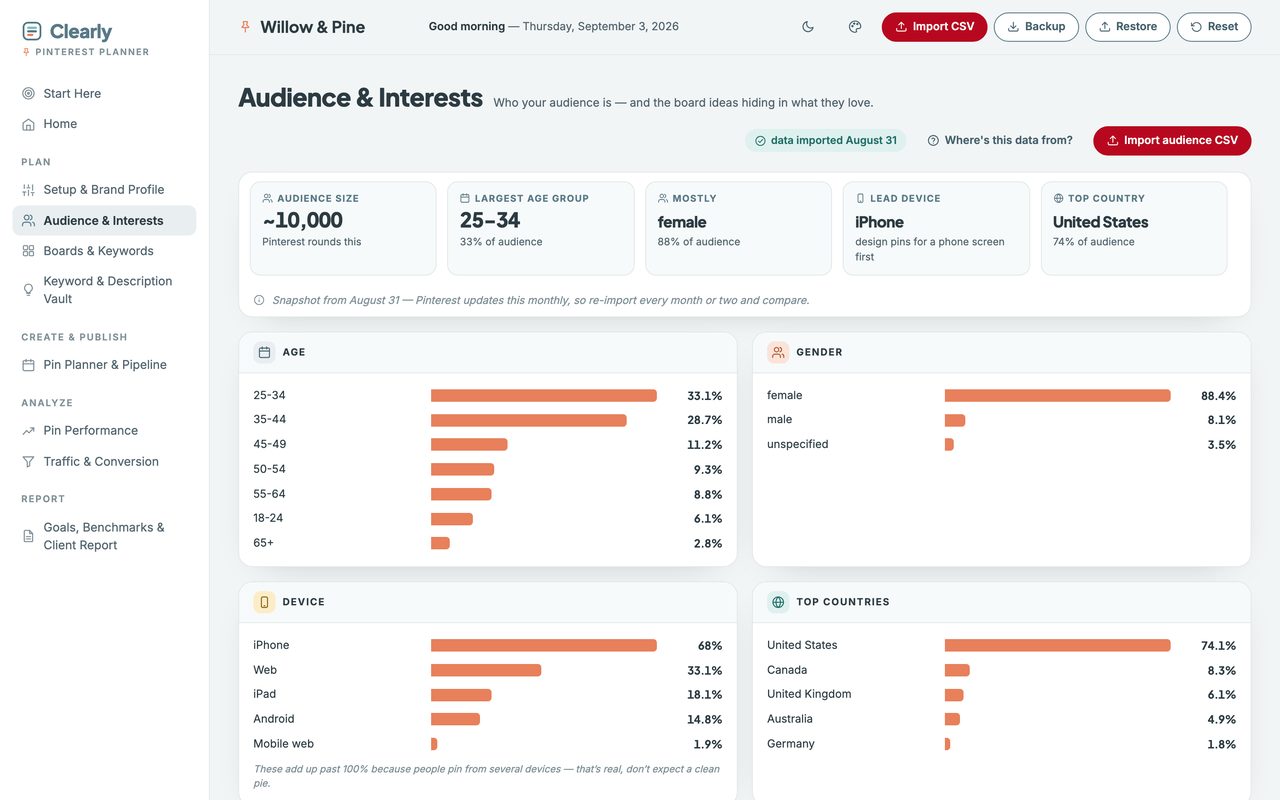
What your people love beyond your own pins — imported from Pinterest’s own CSV.
Pin SEO checklist
Keywords in the right fields before you publish, not after the pin flops.
Seasonal deadlines
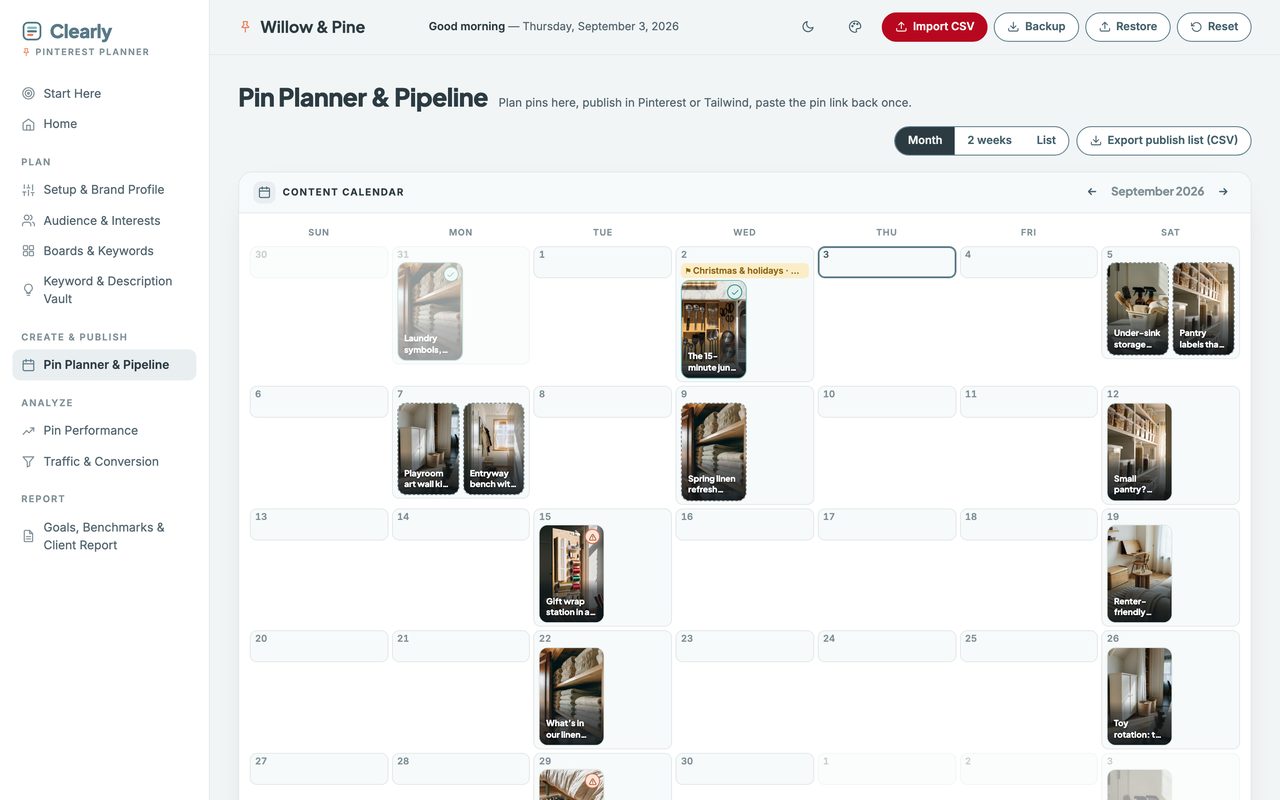
Pinterest runs about 45 days early. The planner counts down so you never miss the window.
Why saves can mislead you
Your best-saved board and your best-earning board are rarely the same one.
Saves are the metric Pinterest shows you most, and they do matter — a save is what tells Pinterest to keep showing a pin, which is why clicks compound over months rather than days. But a save is not a visit, and a board can collect them while sending you almost nobody.
In the sample data, one board has a twentieth of another’s save rate — and 3.2× the outbound clicks.
The planner ranks on outbound click rate by default, keeps save rate beside it, and flags the boards and pins where the two disagree. That flag is the whole point: it names the board you would have kept designing for, and the one actually paying you.
Watch the walkthrough
Two minutes, start to finish.
The real planner, recorded start to finish — opening the file, setting it up, boards imported, and a pin taken from a red 41 to a green 100 by doing the three things its fix-list names. No edit, no voiceover, nothing sped up.
2 minutes · no sound, so nothing to turn up · captions are on the screen
Everything in it
Ten views, and nothing to wire together.
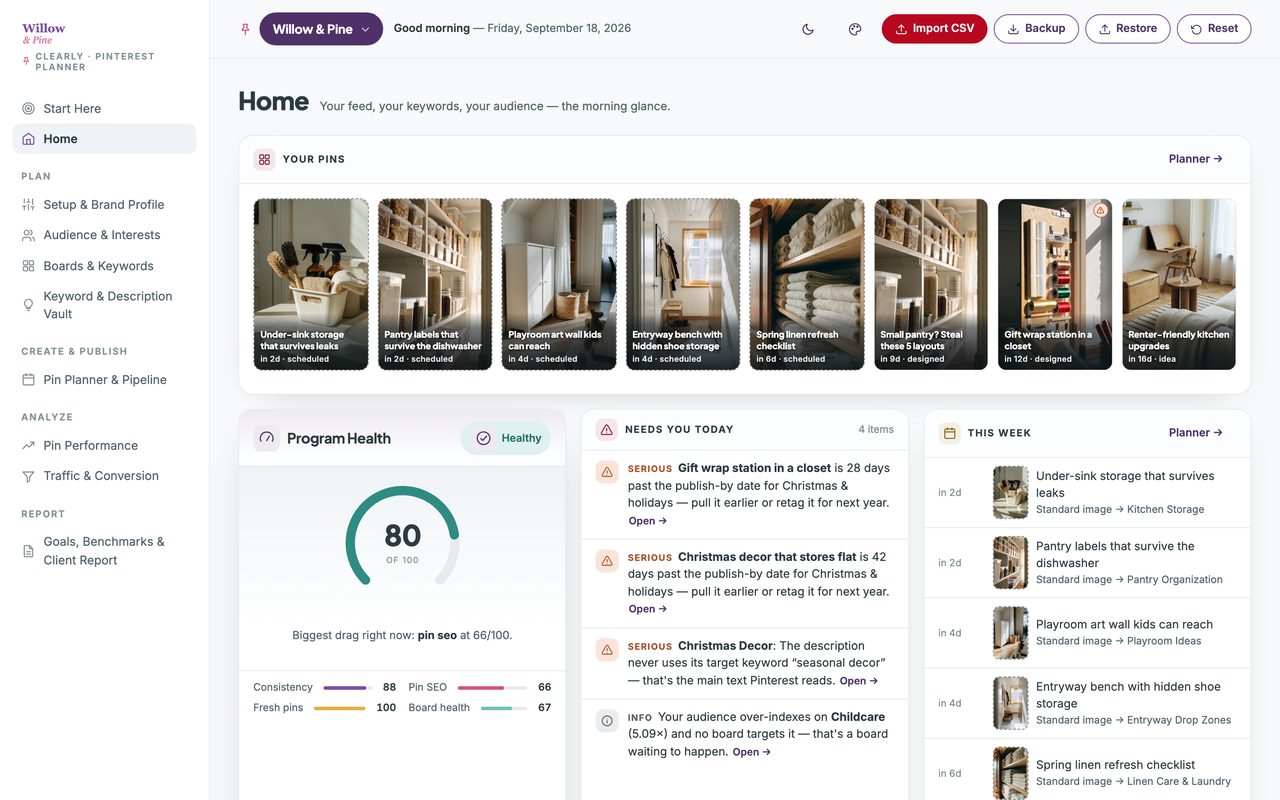
One file, opened in your browser. This is all of it — the same sidebar you'll see in the walkthrough above.
- Start Here
- What each view is for, and where to begin.
- Home
- Your feed, and what needs you today.
Plan
- Setup & Brand Profile
- Your goals and benchmarks. Set once.
- Audience & Interests
- What they love — and the boards you lack.
- Boards & Keywords
- Every board’s numbers, from the CSV.
- Keyword & Description Vault
- Your keyword bank, and the bulk generator.
Create & Publish
- Pin Planner & Pipeline
- A pin calendar, with publish-by deadlines.
Analyze
- Pin Performance
- Which pins actually send you clicks.
- Traffic & Conversion
- Where those clicks go, and what they earn.
Report
- Goals, Benchmarks & Client Report
- Targets vs actuals, and a page to send.
A look inside
Two more of the screens you'll use.
Client work
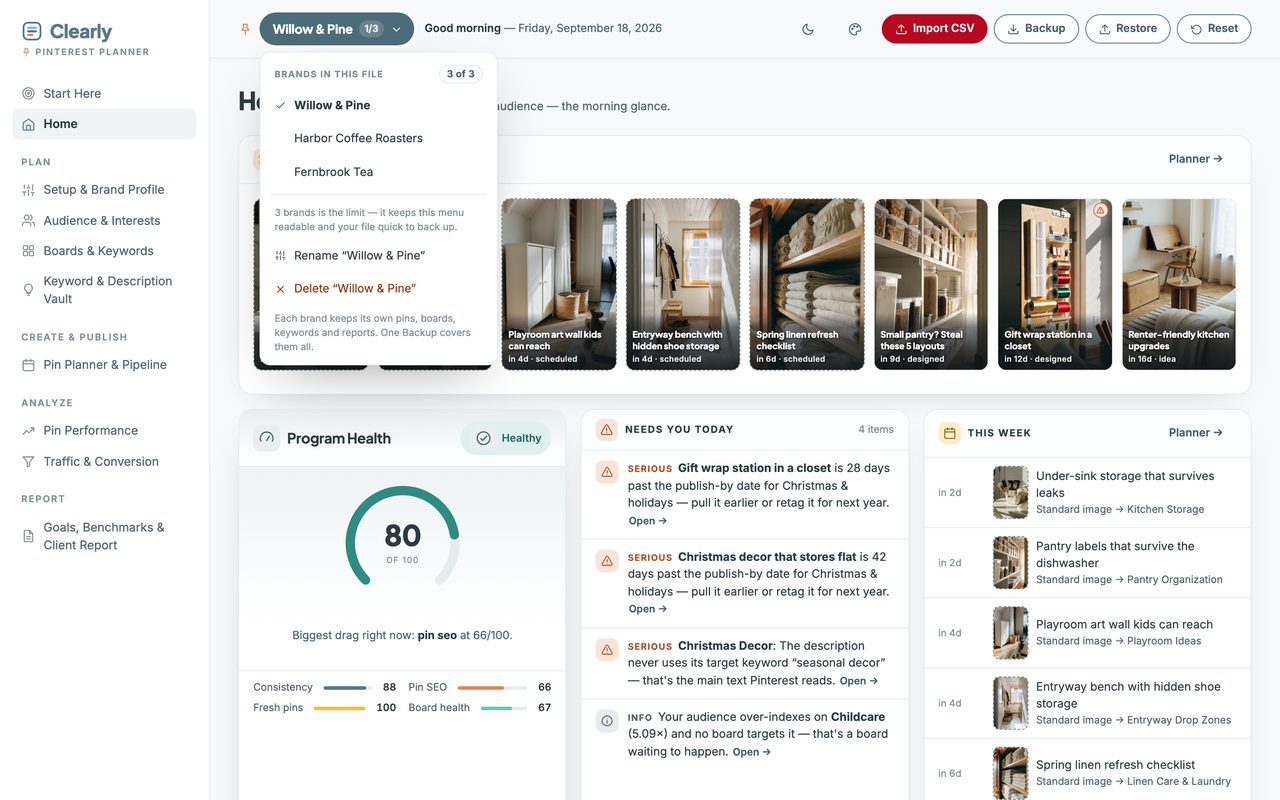
Three brands in one file, wearing your colors.
Up to three completely separate planners live in the one file — your own brands or your clients’. Nothing is shared between them, and a single Backup covers all three.
How it works
Three steps, then it runs itself.
It arrives with a full sample account already in it, so you can click through every view before you type anything. One button clears it.
-
1. Download and double-click.
It opens in your browser like a web page.
-
2. Type your brand name and the topics you want to be found for.
A few minutes.
-
3. Tap a day on the calendar and plan your first pin.
The checklist takes it from there.
Before you buy
Three things it won't do.
Each of these is a choice, and each one is why there's no subscription.
It doesn’t post or schedule
You plan here and publish in Pinterest or whatever scheduler you already pay for. Nothing to connect means no permissions and nothing that breaks.
It can’t import saves or clicks
Pinterest’s own export carries impressions per pin but not saves or outbound clicks. Boards and daily totals come in automatically; for the handful of pins you care about, those are two quick fields.
It won’t promise you a ranking
No tool can. What it does is score the thirteen things Pinterest actually reads on a pin, and tell you which of them you skipped.
Straight answers
The questions people actually ask.
- Can I see it before I buy?
- Yes — the live demo is the whole planner with sample data inside, and you can click through every view. Nothing saves, so click anything. The two-minute walkthrough on this page shows it being set up start to finish.
- Do I need to install anything?
- No. It opens in the browser you already have.
- Is this a subscription?
- No. One purchase, yours forever. No login, no account, no renewal.
- Does it schedule or post for me?
- No. You plan here and publish in Pinterest or your scheduler. Nothing to connect means no permissions, nothing that breaks, and no monthly fee.
- Do I have to type in all my stats?
- Mostly no. Boards and daily numbers come in from the file Pinterest exports — two clicks, once a month. For individual pins you paste the pin’s link once and add saves and clicks for the ones you care about.
- Which number should I actually be watching?
- Outbound clicks, if you want traffic, and the planner defaults to that. Saves still matter, because they’re what tells Pinterest to show a pin to more people — so both sit side by side rather than one standing in for the other.
- I’m brand new to Pinterest. Is this too advanced?
- The opposite. It ships with a realistic example inside so you can look around, and wherever your own numbers are still thin it says so plainly instead of showing you a zero and calling it a score.
- Where does my data live?
- On your own computer, in your own browser. Never uploaded, and I never see it.
- Does it work on my phone?
- Yes. On Mac and Windows you open the file directly. On Android, copy the file over and open it in Chrome. On iPhone and iPad, Apple won’t run local files at all, so your setup guide includes a private web-app link and access code.
What you get
Pay once. Yours forever.
single download, no subscription
Try the full product free before you buy. If it’s not right for you, you’ll know in two minutes and it cost you nothing.
First time here? Get 20% off your first purchase when you join the list.
In your download
- The planner — one self-contained file, everything inside it.
- A setup guide (PDF) — it also holds your private iPhone and iPad web-app link and access code, because Apple won’t run local files.
- Five palettes, light and dark — or set your own three colors and drop your logo in. It works out the readable version of each for you.
- Up to three brands in one file. Your own, or your clients’ — each keeps its own data and its own report.
Good to know
- Works on any browser — Chrome, Safari, Firefox, Edge.
- Not a subscription. Pay once, keep it forever.
- Your data stays on your computer, never uploaded.
- Getting started: a Start Here page and sample data are included.
- Doesn’t schedule pins or connect to Pinterest. You publish there as you do now.
- Board and daily numbers import from Pinterest’s own export — two clicks a month.
- The licence covers your own client work, not just personal use.
Before you buy
Who this is for — and who it isn't.
This is for you if
Sellers, bloggers and small business owners who pin — or know they should — and want Pinterest to finally send traffic. There’s a Start Here page with three things to do and nothing else.
This isn't for you if
Anyone who wants software that logs into Pinterest and posts for them. This plans and analyzes; you publish in Pinterest or your own scheduler.