For freelancers & studios
A brand pitch tracker that tells you where your pitches go quiet.
Every pitch, proposal, deliverable and invoice in one file — and a tracker that reads it back to you, with the rows and the arithmetic behind every sentence it says.
pay once, yours forever
Try the full product free before you buy. If it’s not right for you, you’ll know in two minutes and it cost you nothing.
What it does
Four things it works out for you.
See where pitches die
When a pitch is lost it remembers the stage it died at — so you learn whether it’s the pitch or the follow-up.
No proposal goes quiet
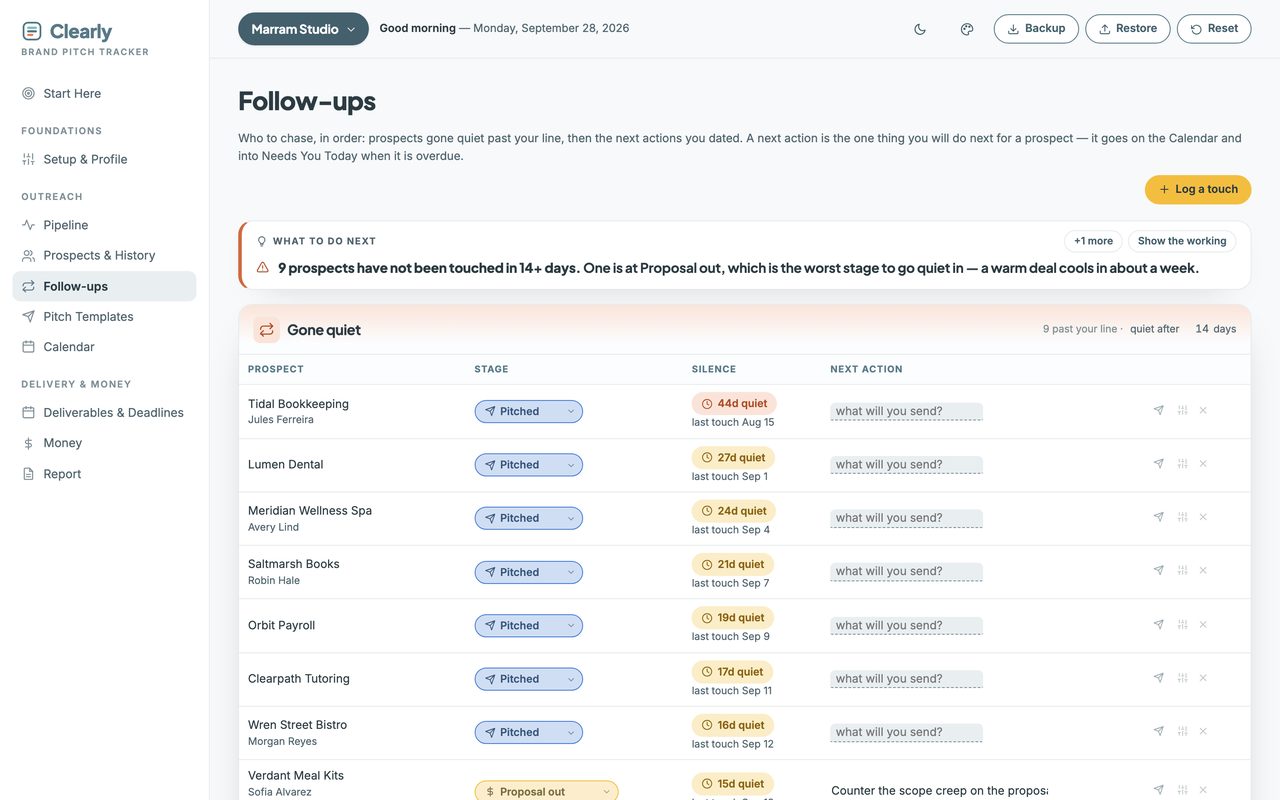
Anyone past your silence line, oldest first, with proposals sitting out called out on their own.
Quotes that price scope
Standard, rush or full buyout — your uplifts applied and your terms dropped in, ready to paste.
Receipts, sorted
Attach each receipt to its invoice, then download a tax year named by date and client.
Why a list isn’t enough
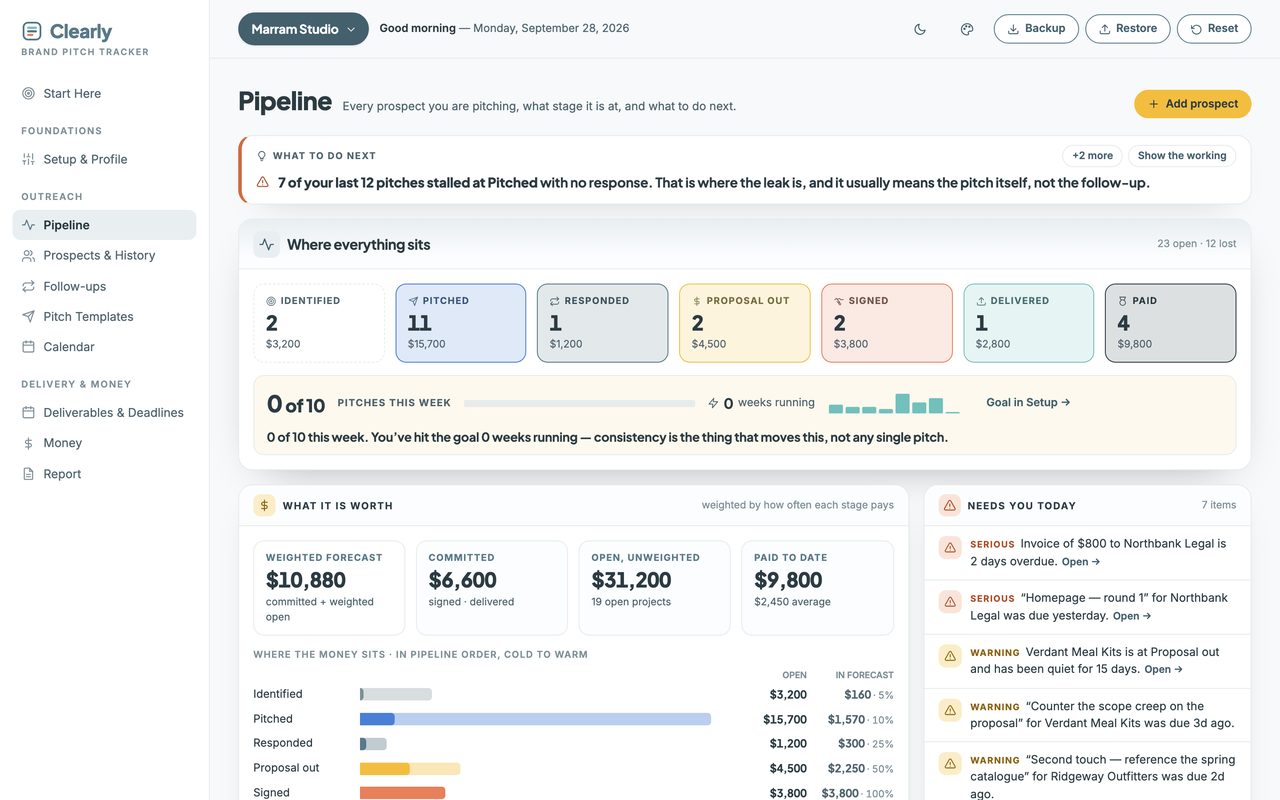
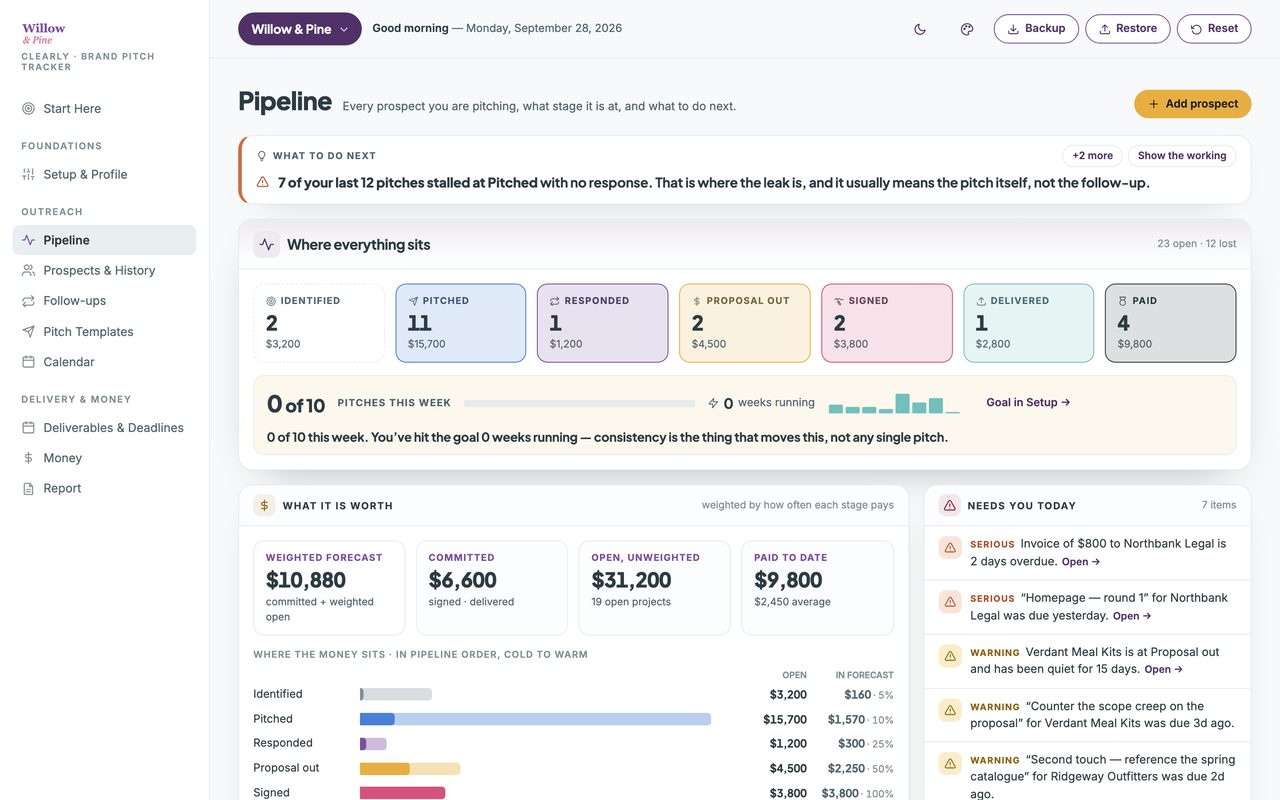
“12 open prospects” tells you nothing. “7 stalled at Pitched” tells you what to fix.
Seven stages from Identified to Paid, and a lost pitch keeps the stage it died at. So the tracker can say where the leak is: pitches that never got a reply point at the pitch itself, projects that died at Proposal out point at the price or the scope.
Open “Show the working” under any sentence and it lists the exact rows it counted, and how.
Nothing in it is generated. Every sentence is counting and division over the rows you typed, against the lines you set in Setup — and below the sample it needs, it says “not enough yet” instead of guessing.
Everything in it
Ten views, and nothing to wire together.
One file, opened in your browser. This is all of it — the same sidebar you'll see in the demo.
- Start Here
- What each view is for, and where to begin.
Foundations
- Setup & Profile
- Your rates, services and standard terms. Set once.
Outreach
- Pipeline
- Every prospect, every stage, and what to do next.
- Prospects & History
- Every prospect, with every email and call you logged.
- Follow-ups
- Who has gone quiet, oldest first.
- Pitch Templates
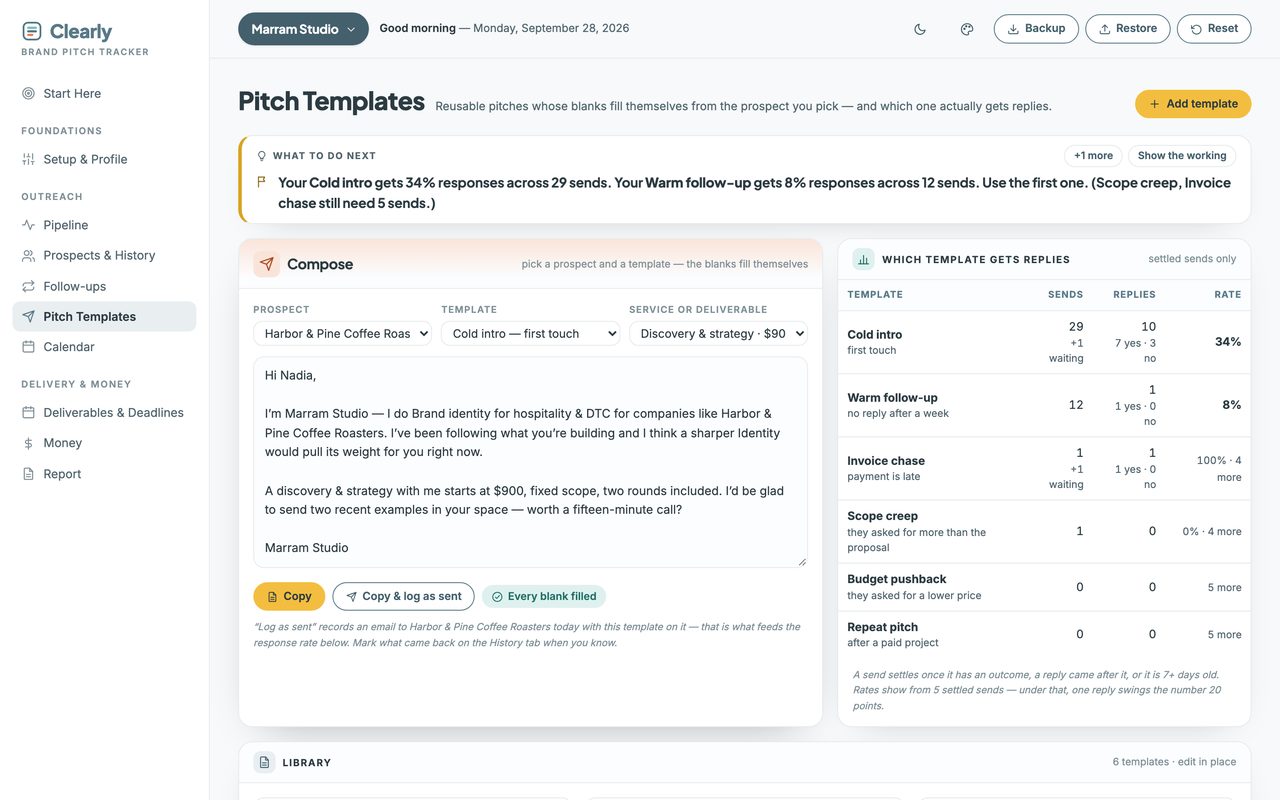
- Six pitches that fill themselves in.
- Calendar
- Every dated thing, by month or week.
Delivery & Money
- Deliverables & Deadlines
- What you owe each client, and when.
- Money
- Signed, invoiced, paid and owed.
- Report
- Your month on one page.
A look inside
Two more of the screens you'll use.
More than one pipeline
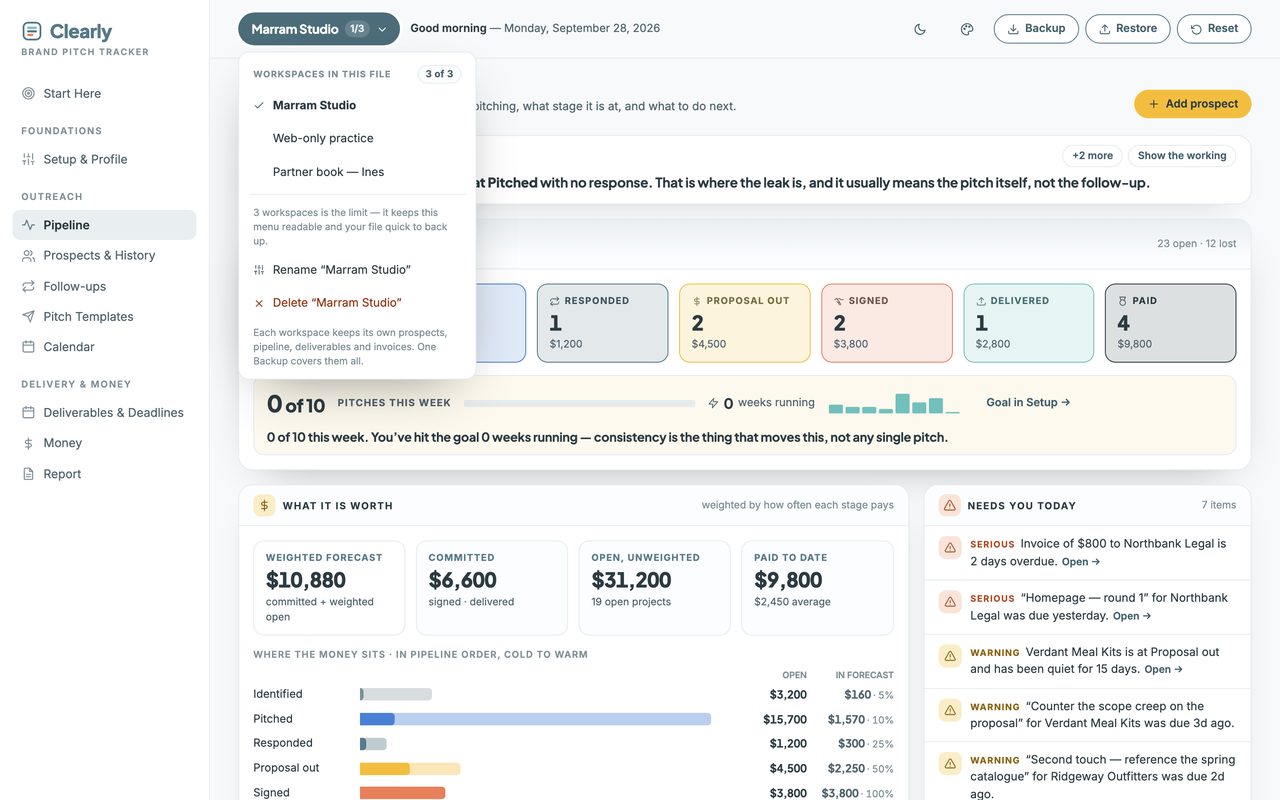
Three workspaces in one file, wearing your colors.
Your own pipeline, plus up to two more — a second line of business, or a partner’s book of prospects. Nothing is shared between them, and one Backup covers all three.
How it works
Three steps, then it runs itself.
It arrives with a sample studio already in it — 35 prospects at every stage — so every screen is calculating before you type a thing. One button clears it.
-
1. Download and double-click.
It opens in your browser like a web page.
-
2. Fill in Setup once.
Your rates, services and standard terms. Everything else reads from it.
-
3. Add a prospect and log the pitch.
The pipeline, the follow-ups and the money fill themselves in.
Before you buy
Three things it won't do.
Each of these is a choice, and each one is why there's no subscription.
It doesn’t send your pitches
No sending, no connected inbox, no mail merge. You copy a pitch from here and send it however you already do.
It doesn’t find clients
You bring the prospects. This tracks what you’re already doing and tells you where it’s leaking.
It’s built for a laptop
It works on a phone through the private web-app link in your guide, and that’s where you’ll log the call you just had — but a month of outreach is easier to read on a bigger screen.
Straight answers
The questions people actually ask.
- Can I try it before I buy?
- Yes — the live demo is the whole tracker with a sample studio inside. Nothing saves, so click anything. No email needed.
- Does it send my pitches?
- No. There’s no server and no inbox connection, so nothing can be sent, synced or leaked. You copy a pitch and send it yourself.
- Do I have to type everything twice?
- No. Setup is asked once. Your rates, services and terms feed every quote and every follow-up after that — and moving a prospect to Signed fills in the project’s scope from your terms.
- Can I use it for more than one business?
- Yes — up to three completely separate workspaces in one file, each with its own prospects, rates, deliverables and invoices.
- Do I need to install anything?
- No. It opens in the browser you already have.
- Is this a subscription?
- No. One purchase, yours forever. No login, no account, no renewal, and no way for me to switch it off.
- Where does my data live?
- On your own computer, in your own browser. Never uploaded, and I never see it.
- Does it work on my phone?
- Yes. On Mac and Windows you open the file directly. On Android, copy the file over and open it in Chrome. On iPhone and iPad, Apple won’t run local files at all, so your setup guide includes a private web-app link and access code. Either way, add it to your home screen once and it opens like an app.
What you get
Pay once. Yours forever.
single download, no subscription
Try the full product free before you buy. If it’s not right for you, you’ll know in two minutes and it cost you nothing.
First time here? Get 20% off your first purchase when you join the list.
In your download
- The tracker — one self-contained file, everything inside it.
- A setup guide (PDF) — it also holds your private iPhone and iPad web-app link and access code, because Apple won’t run local files.
- Five palettes, light and dark — or set your own three colors and drop your logo in.
- Up to three workspaces in one file. A second business, or a partner’s prospects — each keeps its own pipeline, rates and invoices.
Good to know
- Works on any browser — Chrome, Safari, Firefox, Edge.
- Not a subscription. Pay once, keep it forever.
- Your data stays on your computer, never uploaded.
- Getting started: a Start Here page and sample data are included.
- Doesn’t send your pitches. You copy them from here and send them however you already do.
- The licence covers your own client work, not just personal use.
Before you buy
Who this is for — and who it isn't.
This is for you if
Freelancers and small studios who pitch their own work — designers, developers, writers, photographers, consultants — and want to stop losing projects to a spreadsheet nobody opens.
This isn't for you if
Anyone who wants software that finds clients for you, sends your pitches, or connects to your inbox. This does none of those, on purpose.