You know you should be emailing your list. Is any of it working?
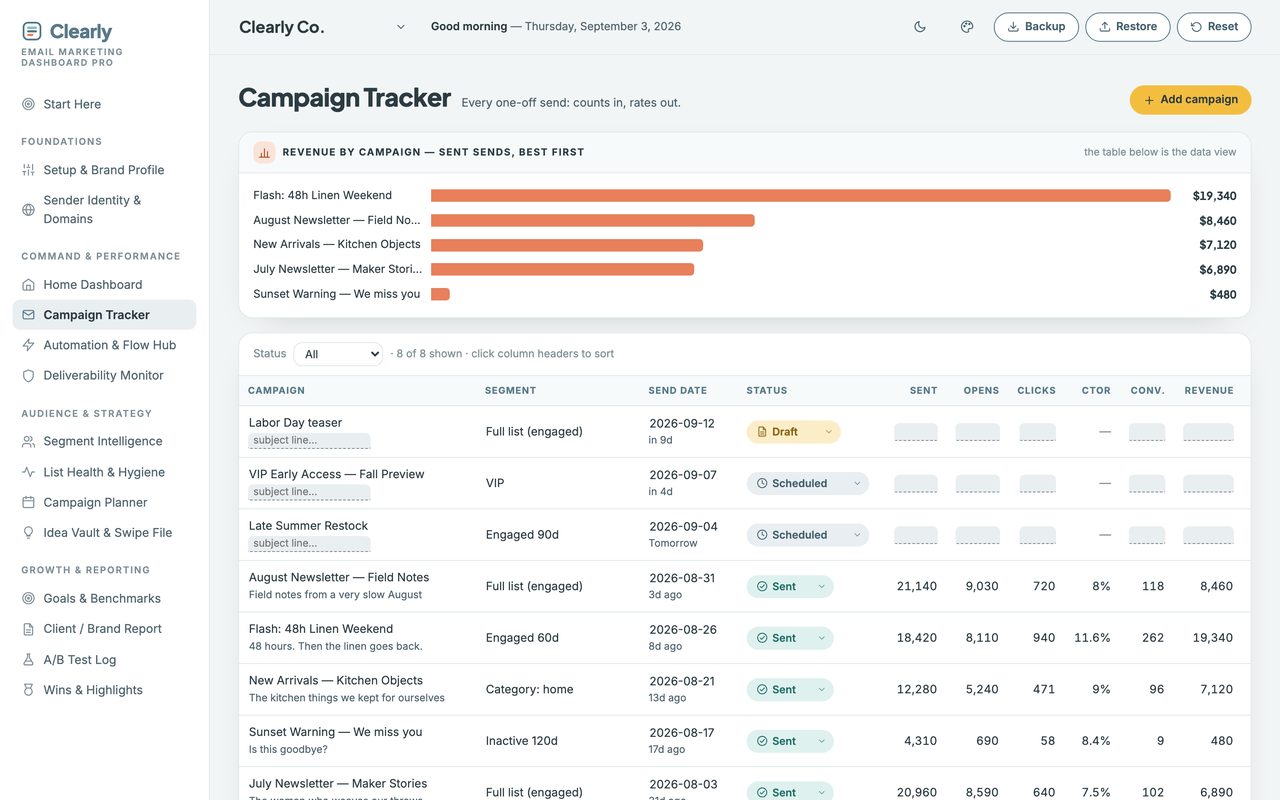
Type delivered, opens, clicks and revenue. Every rate works itself out against a real benchmark — the one piece of marketing admin that pays you back.
pay once, yours forever
Try the full product free before you buy. If it’s not right for you, you’ll know in two minutes and it cost you nothing.
What it does
Four things it works out for you.
Counts in, rates out
Type delivered, opens, clicks and revenue — every rate works itself out against a real benchmark.
Land in inboxes
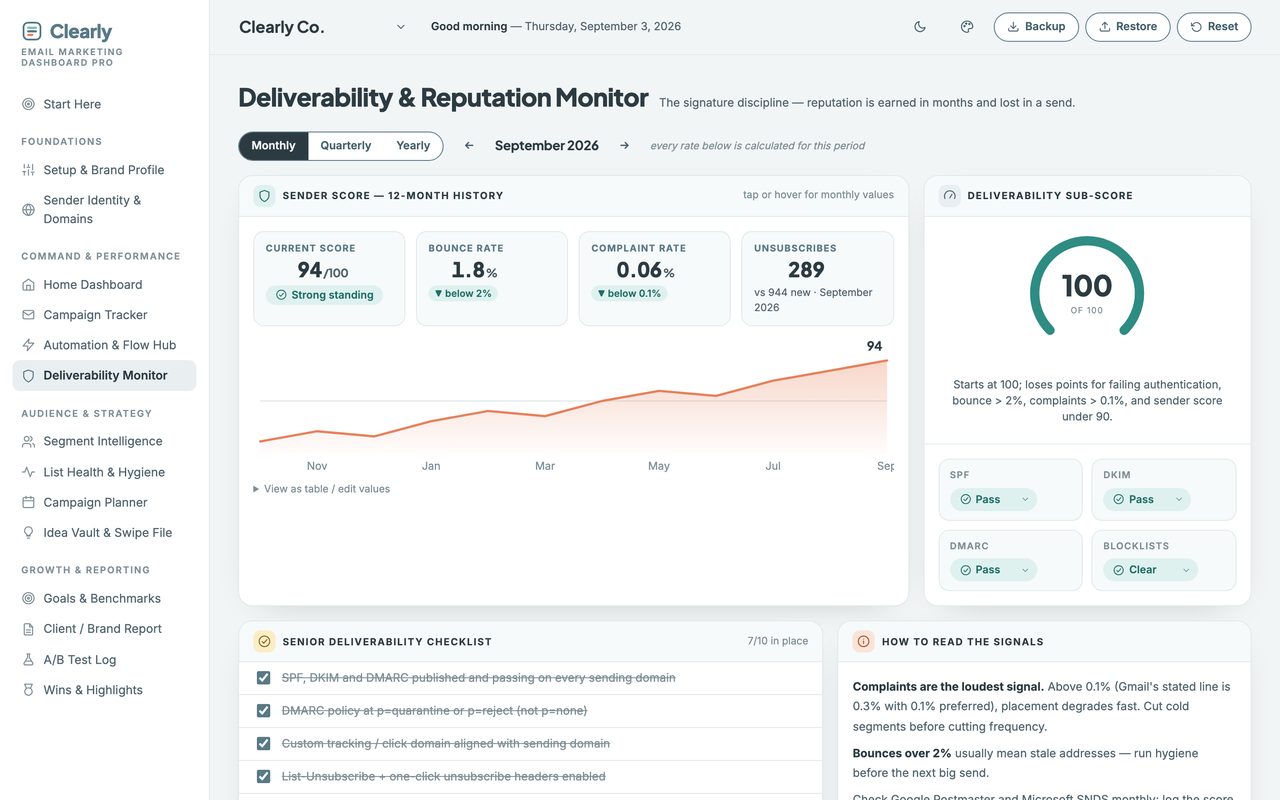
A deliverability monitor, so “sent” actually means “seen”.
Lists that stay healthy
Segments and hygiene made visible — the unglamorous work that grows revenue.
Flows, mapped
Welcome, winback and launch automations in one hub, with an A/B log to prove what worked.
Why the score sometimes stays blank
A number built from one signal isn’t a health score.
Every dashboard that grades your email program computes something on day one, from whatever you happened to type in. That number feels like information and isn’t — a single filled-in field can swing it forty points.
One signal is not a program. The score stays blank until at least two of them have real data, and it tells you which one is missing.
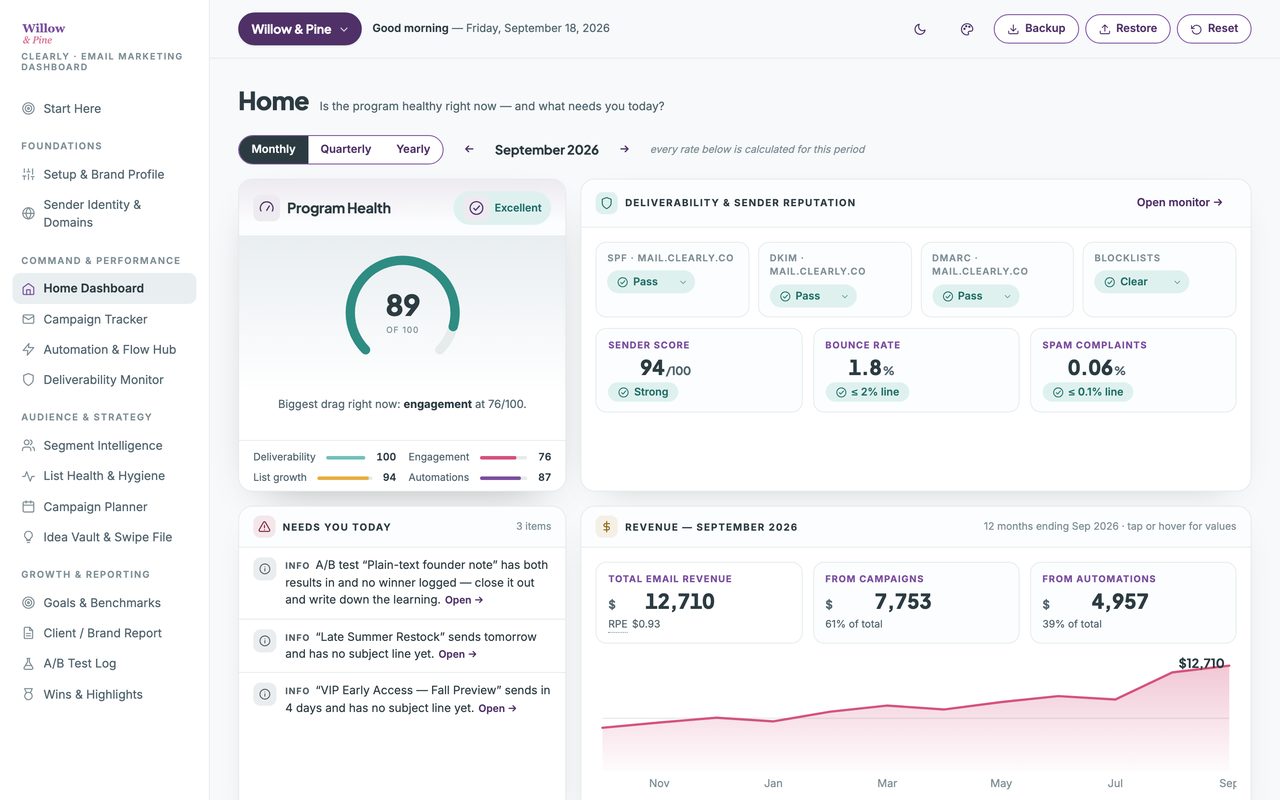
It rolls deliverability, engagement, list growth and automation health into one figure and names the biggest drag on it. Automation health reads your last-reviewed dates rather than a status you set yourself, so it rewards actually going back and looking — not relabelling a flow as healthy.
Watch the walkthrough
Two minutes, start to finish.
The real planner, recorded start to finish — opening the file, setting it up, a send logged and the whole programme graded. No edit, no voiceover, nothing sped up.
2 minutes · no sound, so nothing to turn up · captions are on the screen
Everything in it
Fifteen views, and nothing to wire together.
One file, opened in your browser. This is all of it — the same sidebar you'll see in the walkthrough above.
- Start Here
- What each view is for, and where to begin.
Foundations
- Setup & Brand Profile
- Your goals and benchmarks. Set once.
- Sender Identity & Domains
- SPF, DKIM and DMARC, per sending domain.
Command & Performance
- Home Dashboard
- Is it healthy, and what needs you today.
- Campaign Tracker
- Type four counts; every rate works itself out.
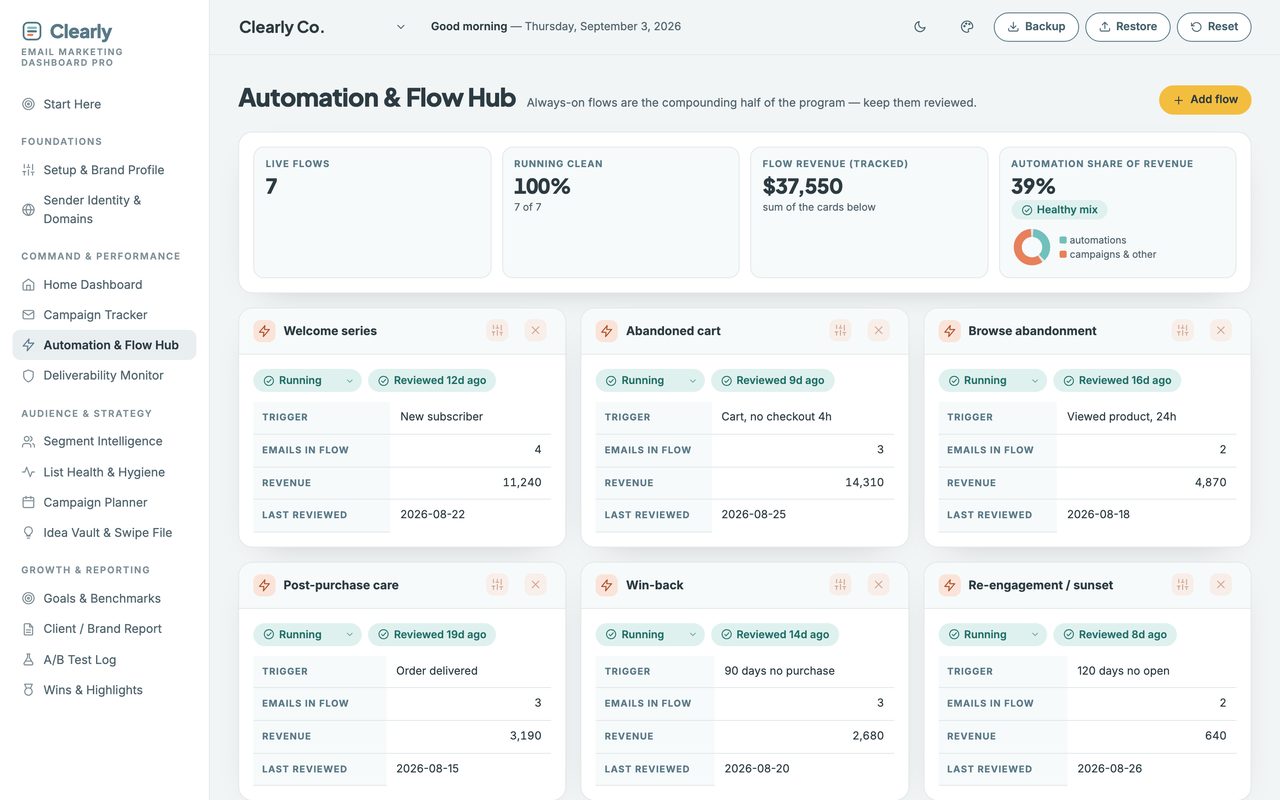
- Automation & Flow Hub
- Every flow, and when you last reviewed it.
- Deliverability Monitor
- Sender score, bounces and complaint ceilings.
Audience & Strategy
- Segment Intelligence
- Engaged, lapsing, inactive — and next actions.
- List Health & Hygiene
- Growth by source, cleaning cadence, suppression.
- Campaign Planner
- A month and a week of sends, with checkpoints.
- Idea Vault & Swipe File
- Subject lines that worked, and unsent ideas.
Growth & Reporting
- Goals & Benchmarks
- The report card you set for yourself.
- Client / Brand Report
- One clean page. Print it, or save a PDF.
- A/B Test Log
- One test per row, the winner, the learning.
- Wins & Highlights
- Records found in your own numbers.
A look inside
Two more of the screens you'll use.
Client work
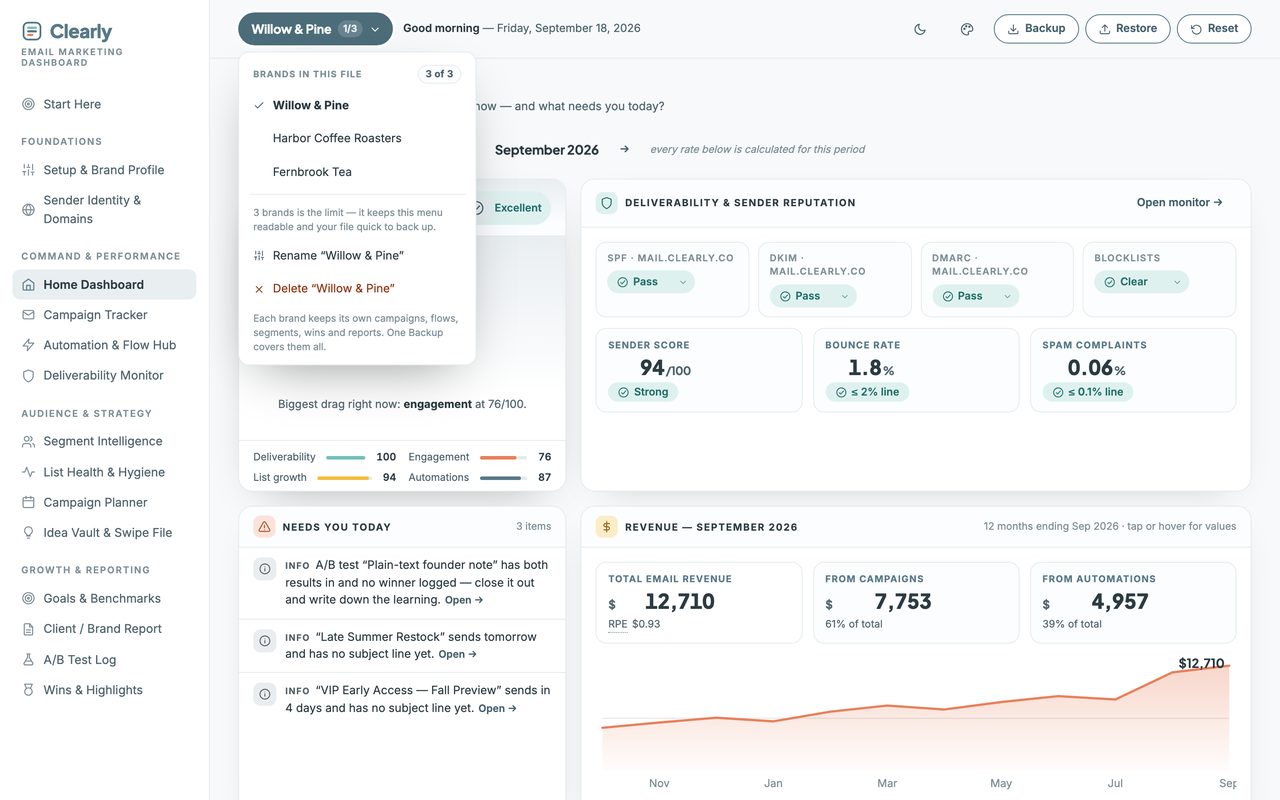
Three brands in one file, wearing your colors.
Up to three completely separate planners live in the one file — your own brands or your clients’. Nothing is shared between them, and a single Backup covers all three.
How it works
Three steps, then it runs itself.
It arrives with a full sample account already in it, so you can click through every view before you type anything. One button clears it.
-
1. Download and double-click.
It opens in your browser like a web page.
-
2. Put in your brand name and your goal.
Two minutes.
-
3. Log your next send.
Everything else fills itself in.
Before you buy
Three things it won't do.
Each of these is a choice, and each one is why there's no subscription.
It doesn’t send email
No sending, no automation builder, no connected account. You keep the platform you already use — this is the layer it doesn’t give you.
Nothing connects to it
You read your numbers off your platform and type them in, about two minutes per send. That means no permissions to grant, nothing to break, and no monthly fee on top of the one you already pay.
It won’t tell you your list is fine
Where a signal is missing it says so rather than filling the gap with a zero. A blank is information; an invented score isn’t.
Straight answers
The questions people actually ask.
- Can I see it before I buy?
- Yes — the live demo is the whole planner with sample data inside, and you can click through every view. Nothing saves, so click anything. The two-minute walkthrough on this page shows it being set up start to finish.
- Do I need to install anything?
- No. It opens in the browser you already have.
- Is this a subscription?
- No. One purchase, yours forever. No login, no account, no renewal.
- Does it connect to my email platform automatically?
- No. You type your numbers in. That’s a deliberate trade: nothing to connect means nothing to break, no permissions to grant, and no monthly fee. It takes about two minutes per send.
- Will it work with the platform I already use?
- Yes — it’s platform-agnostic by design. Mailchimp, Klaviyo, Flodesk, ConvertKit, Kit, Beehiiv, MailerLite, Substack, anything. You read the numbers off whatever you have and type them in.
- I’m not technical. Is this going to be over my head?
- No. There are no formulas to write and nothing to set up. If you can fill in a form, you can use this.
- Do I need to use every section?
- No, and please don’t try on day one. Setup plus your next send is enough to make it useful.
- Where does my data live?
- On your own computer, in your own browser. It never gets uploaded anywhere and I never see it.
- Does it work on my phone?
- Yes. On Mac and Windows you open the file directly. On Android, copy the file over and open it in Chrome. On iPhone and iPad, Apple won’t run local files at all, so your setup guide includes a private web-app link and access code.
What you get
Pay once. Yours forever.
single download, no subscription
Try the full product free before you buy. If it’s not right for you, you’ll know in two minutes and it cost you nothing.
First time here? Get 20% off your first purchase when you join the list.
In your download
- The planner — one self-contained file, all fifteen views inside it.
- A setup guide (PDF) — it also holds your private iPhone and iPad web-app link and access code, because Apple won’t run local files.
- Five palettes, light and dark — or set your own three colors and drop your logo in. It works out the readable version of each for you.
- Up to three brands in one file. Your own, or your clients’ — each keeps its own data and its own report.
Good to know
- Works on any browser — Chrome, Safari, Firefox, Edge.
- Not a subscription. Pay once, keep it forever.
- Your data stays on your computer, never uploaded.
- Getting started: a Start Here page and sample data are included.
- Doesn’t send email. It works alongside the platform you already use.
- One edition, everything included — sender identity, deliverability and list health are all in it.
- The licence covers your own client work, not just personal use.
Before you buy
Who this is for — and who it isn't.
This is for you if
Freelancers, solo marketers, small business owners and consultants who send email and want to know if it’s working. Especially if a client is asking for a report.
This isn't for you if
Anyone who wants software that logs into their email platform and pulls the numbers automatically. This does not do that, on purpose.